



Universal manual
Manuals for Xiaomi Series
Manuals for Kugoo Series
Manuals for Segway Ninebot Series
Manuals for Motus Series
Power Cube
Universal manual
Thank you for purchasing the additional City Lion battery. To use its full potential in your scooter, please follow the installation steps described below.
The installation steps are very similar for each model of scooter and require little effort.
- Step 1 – Fully charge your scooter
- The extra battery from City Lion has arrived to you fully charged.
- We will be connecting it to the original in parallel, so it is important that the voltage difference between the batteries is as small as possible.
- Step 2 – Open the scooter deck
- Depending on the model of scooter, you may need to find and remove the mounting screws for this.
- Carefully open the deck upwards to avoid damaging the wires and other components under the cover.
- Step 3 – Route the wiring for the additional battery
- Carefully route the cables from the extra battery bag to the inside of the scooter deck so that they do not interfere with your ride.
- Use the factory wiring holes in the scooter structure.
- Step 4 Find the plug of the original battery
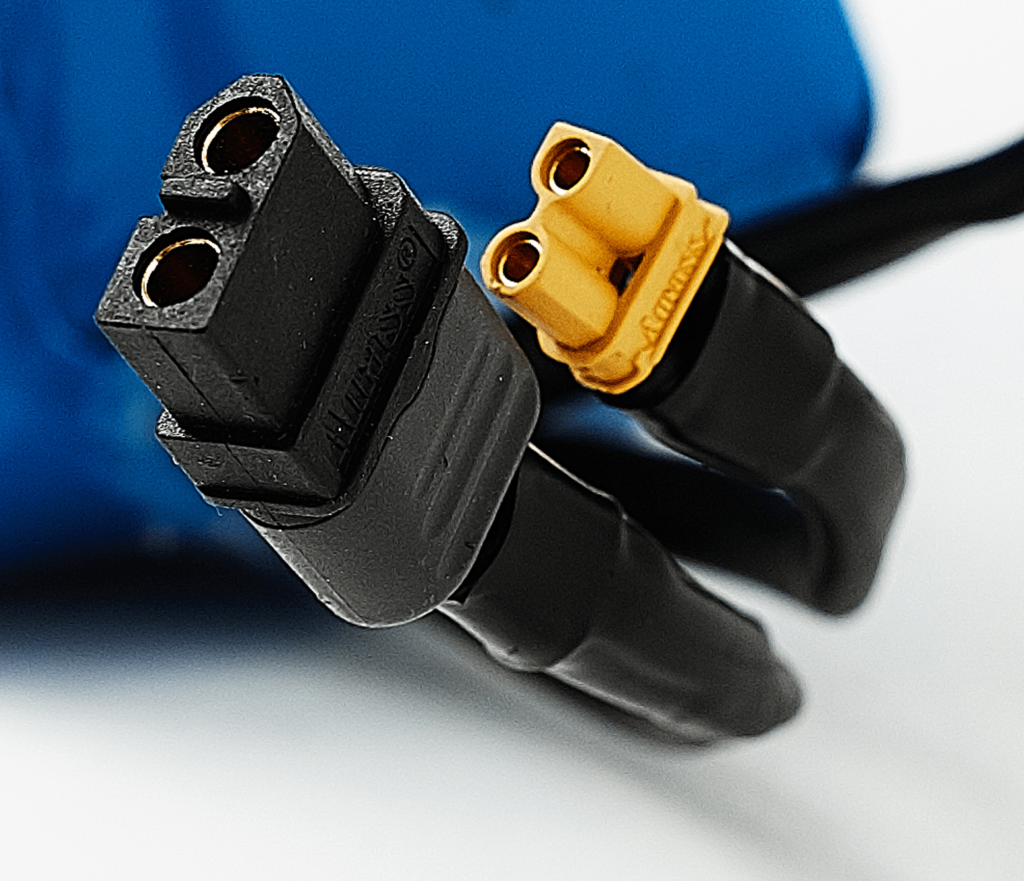
- Look through the wiring in the scooter deck and locate the yellow plug(s) of the XT60 or XT90, then unplug it.
- Step 5 – Connect the secondary battery in parallel
- Connect the City Lion secondary battery wiring to the scooter controller and the internal battery.
- The design of the plugs prevents misconnection, but clip them together sensitively.
- Step 6 – Mount the extra battery
- Using the metal brackets, attach the bag for the extra battery to the handlebar bar of your scooter.
- Step 7 – Connect the extra battery and test its operation.
- Open the bag and connect the City Lion extra battery to the wiring. Make sure all wires are connected in the platform. Start the scooter and test that it works correctly.
- Step 8 – Close the platform and tighten the fixing screws.
- Congratulations! Your CityLion extra battery for your scooter is now ready for use with your vehicle.
Manuals for Xiaomi Series
Xiaomi M365 / PRO / PRO 2 / Essential / 1S:
 Polska wersja
 English version
 Deutsche Version
 Versione italiana
 Version en español
 Version française
Manuals for Kugoo Series
Kugoo G-Booster:
Polska wersja
English version
Deutsche Version
Versione italiana
Version en español
Version françaiseKugoo G2 Pro:
Polska wersja
English version
Deutsche Version
Versione italiana
Version en español
Version française
Kugoo S1:
Kugoo M4 / M4 Pro:
Polska wersja
English version
Deutsche Version
Versione italiana
Version en español
Version française
Manuals for Segway Ninebot Series
Segway Ninebot G30 MAX:
Polska wersja
English version
Deutsche Version
Versione italiana
Version en español
Version françaiseManuals for Motus Series
Power Cube
Xiaomi / Ninebot G30 Max:
Polska wersja
English version
Deutsche Version
Versione italiana
Version en español
Version française