Additional Battery for Ninebot Scooter – Increase Your Range up to 4 Times and Travel up to 100 km on a Single Charge!
Ninebot electric scooters have transformed urban mobility—being lightweight, eco-friendly, and comfortable. However, they have one limitation: limited range. Our Ninebot scooter power bank is the solution, multiplying your riding distance on a single charge.
Battery compatible with Segway Ninebot Max Scooters
- Ninebot G30 Max
- Ninebot G2 / G2D
- Ninebot F20 / F25 / F30 / F40 / F2 / F2 Plus / F2 Pro
Ninebot scooter range better than before!
Your favorite Segway Ninebot MAX scooter with an even bigger range. Forget about constantly checking your battery level and Focus on the most important thing.
Get anywhere you like with our City Lion external battery. Always on time.
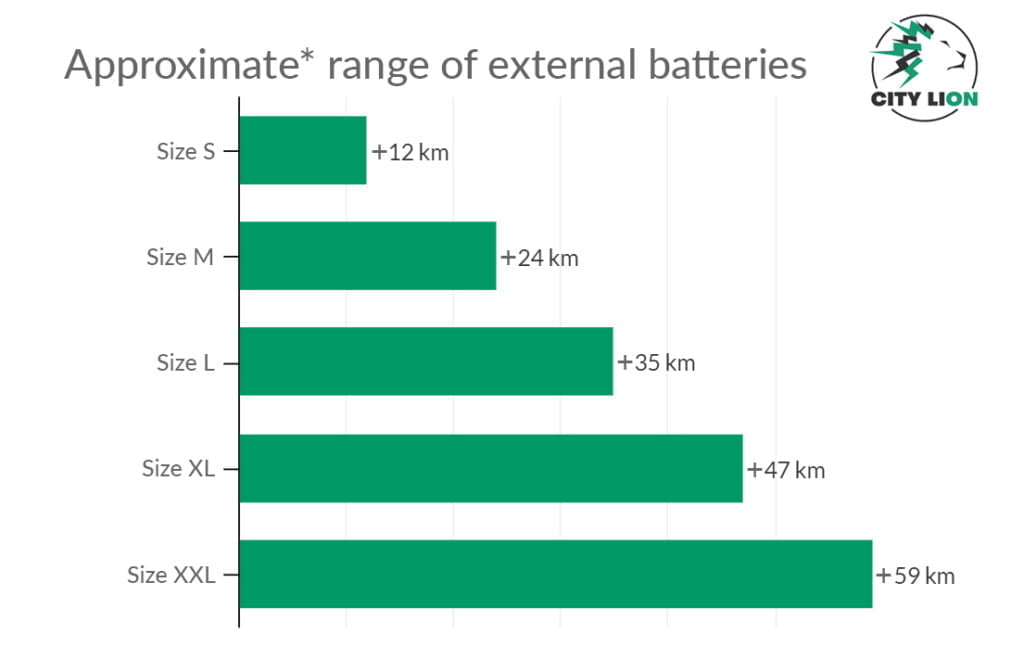
* The stated range of the scooter is real but indicative – ultimately the range depends on many factors, such as weight of the user, speed and driving style, air temperature, type of surface, etc.
Up to 1000 charging cycles
In our batteries for Segway Ninebot MAX, we use only proven and brand-new SAMSUNG cells, which guarantee up to 1000 charging cycles.
We do not use recycled cells, which have much shorter life span, which is common practice in this industry. Longer battery life means not only peace of mind and greater range, but also care for the natural environment.

Simple battery assembly
After the purchase, you will receive a message from us with detailed assembly instructions, and in case of any difficulties, our technicians will be happy to answer any questions.
To successfully use the external battery, you need to make a change to the software of the scooter.
Don’t worry, it doesn’t require any specialist knowledge, our manual is more than enough.

Effortless e-scooter charging
Charging takes place as before – via a standard charger plugged into the scooter charging socket.
Batteries are charged simultaneously.

Contents of Ninebot Battery Upgrade Kit
Together with the City Lion battery for Ninebot G30 MAX, you will get:
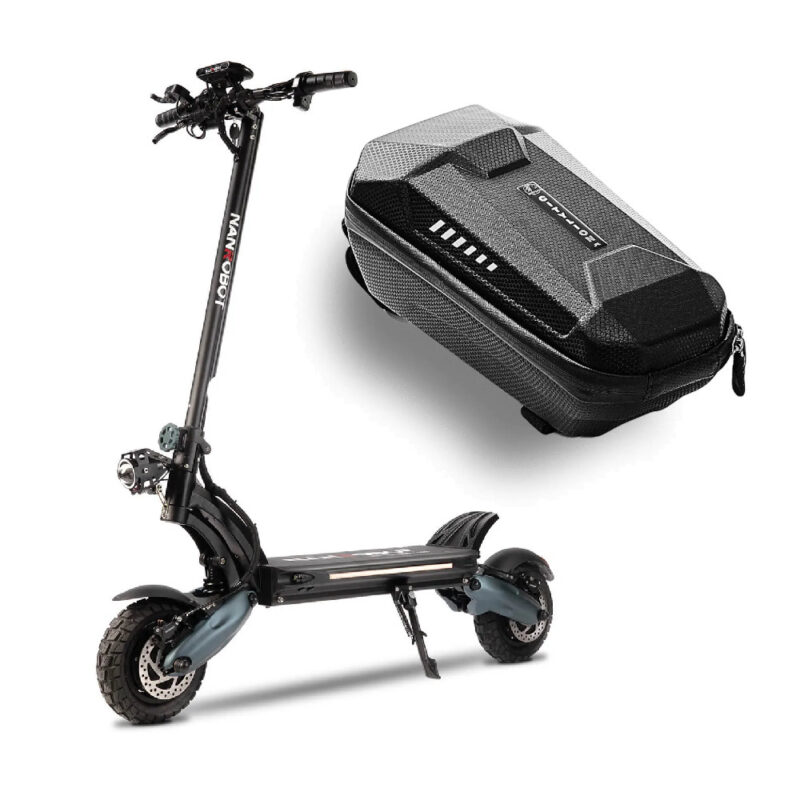
- Exclusive Wild Man bag, highly splash-proof, with the City Lion logo
- Wiring
- Additional handles for a more stable attachment of the bag
- Assembly and software modification instructions
- TORX 15-security key

Highest quality guaranteed
We are a Poland-based company that produces additional batteries for the most popular models of city scooters.
Before shipment, each product is subject to strict quality control. We create solutions that we use every day.
Check your scooter before ordering
You can complete this check before buying the battery. An older model is not automatically ready: its electronics and installed firmware also matter.
1. Read the scooter information
- Disconnect the charger. Download ScooterHacking Utility from its official website, choosing Android or Windows.
- Enable Bluetooth, switch on the scooter and connect in the app. Follow any authorisation prompt shown.
- Read the exact model, DRV and BLE versions in the scooter information. Open Hardware details to identify the controller/MCU if recognised. Save screenshots of these details and any restriction message.
Download ScooterHacking Utility
A Bluetooth connection only confirms that information can be read. It does not confirm firmware installation support or readiness for an external battery.
2. Choose the route for your configuration
Ninebot G30/G30L: check DRV and the STM32/AT32 controller type. Some older configurations allow Bluetooth installation; newer firmware or electronics may need hardware preparation. G2/G2D and F2/F2 Plus/F2 Pro need a separate controller-unlocking route. F20/F25/F30/F40 use a different, older route from F2 and require version-specific matching before changes.
If Restricted DRV/BLE firmware detected appears, or your model is unsupported, stop this procedure and use the solution-selection steps below. Do not approve a downgrade simply to dismiss the message.
3. Prepare a supported configuration
- Continue only if the current app supports SHFW installation for your exact model and electronics without prior hardware work. If SHFW is already installed, move on to configuration.
- Choose Install/update SHFW and the version intended for the identified configuration. Check the model/controller match and follow the app instructions. Keep the connection stable until completion. If an error occurs, save it instead of trying unrelated files or downgrades.
- Configure the firmware for your scooter after installation. Our kit requires disabling the charging mode that prevents the motor from running: this feature may be labelled Disable charging mode / Remove charging mode. Enabling a feature with that name disables this restriction. If the option is missing or unclear, send us a screenshot before ordering.
- Save the settings and read them again after reconnecting. Completing a flash does not replace motor and brake configuration; do not copy settings from a different model. Always disconnect the charger before riding.
4. Understand the result
- Firmware and configuration prepared: select the battery capacity for your model. Install and connect both batteries following the kit instructions.
- Hardware preparation required: supported electronics can be unlocked by a service technician, or a matching unlocked component can be selected. A restriction does not always require a replacement part.
- Unreadable information, an unidentified controller or an error: send the model, DRV/BLE/Hardware details screenshots and the full error message. We will help choose the next step before you order.
View the unlocked Ninebot controller
Match the component to your exact scooter version. Its price is shown on its product page; add it to the battery cost if needed. The cart shows the total for your selected products.